Your own cloudin one file.

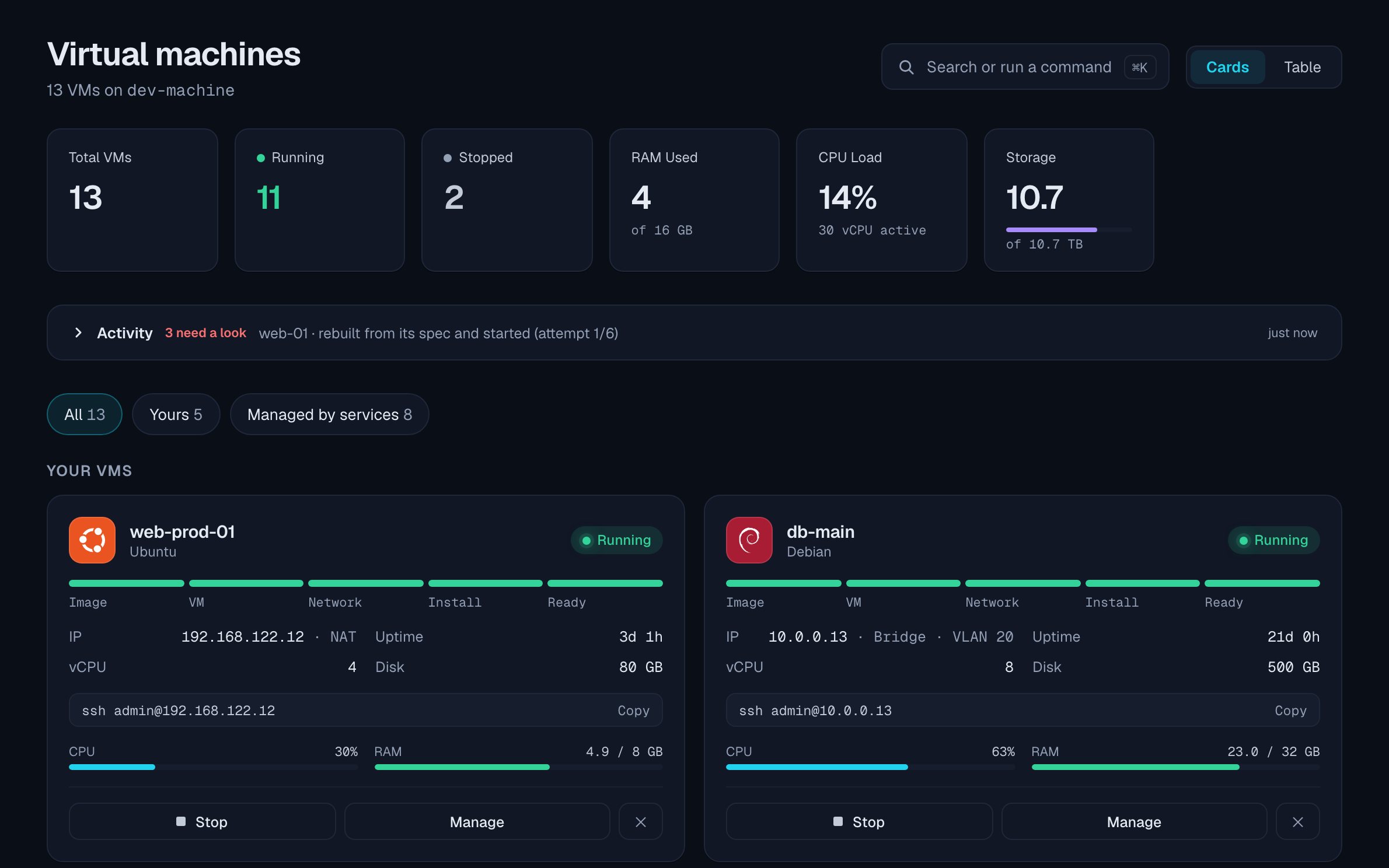
The Virtual machines page: five VMs as cards with their state, address and load, and the services they belong to in the sidebar
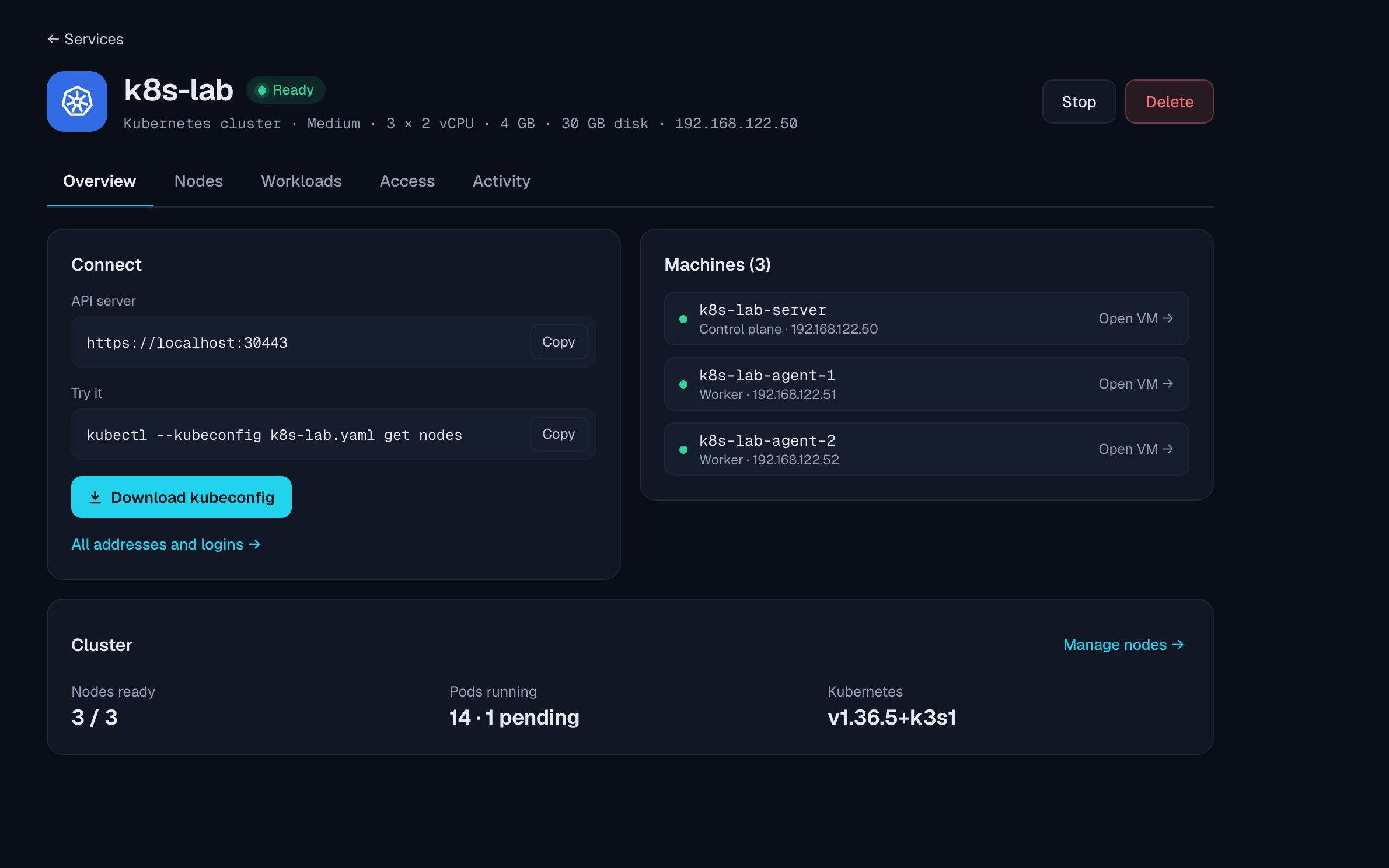
A Kubernetes service: its API address, the kubeconfig download and its three machines, all ready
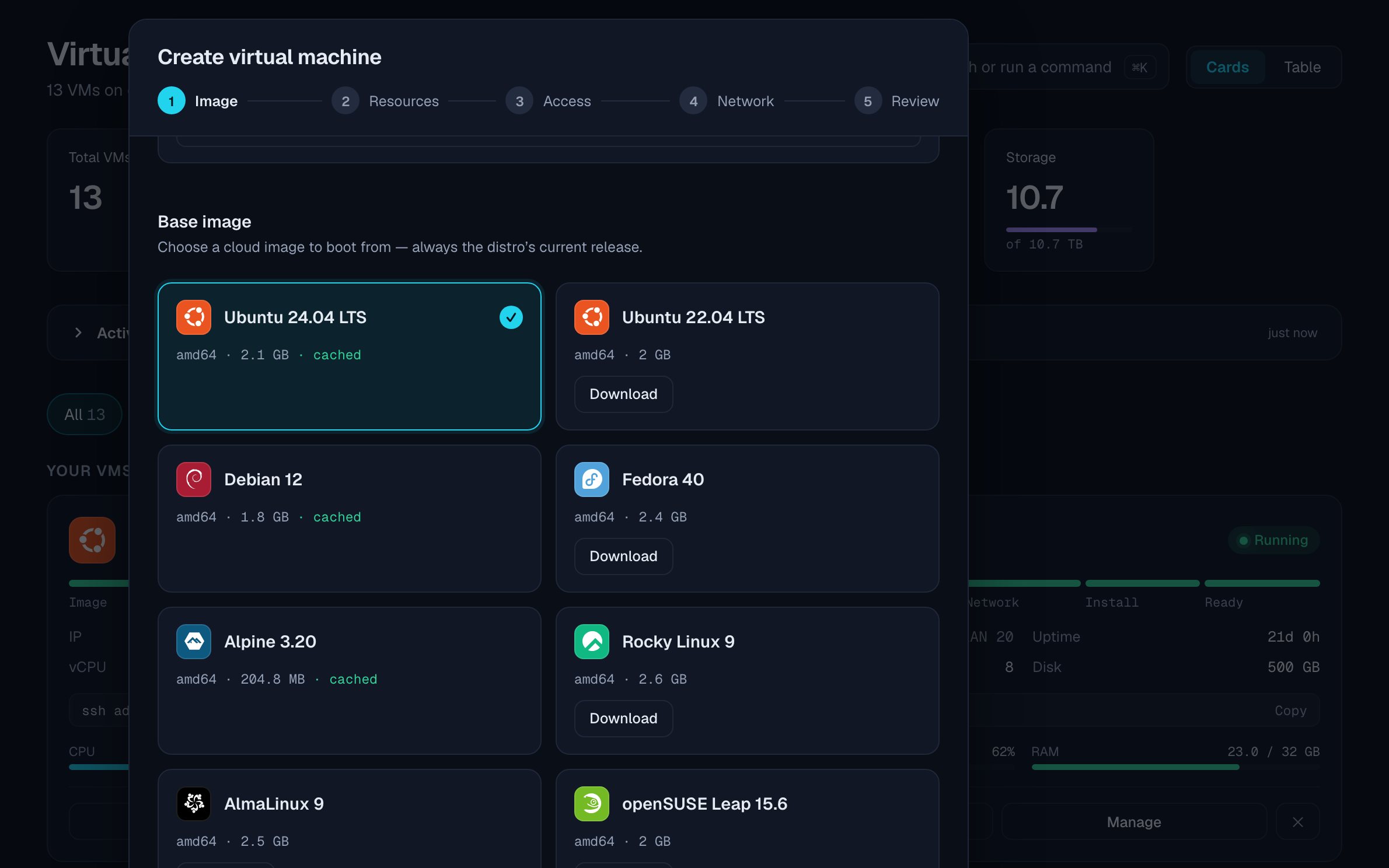
Creating a VM: choosing a cloud image, the first of five steps

Nano Cloud runs virtual machines, databases, S3 storage and Kubernetes on a Linux box or a Mac, from one binary with a web console. Open source.

For Linux with KVM on x86-64, and Macs with Apple silicon. Apache-2.0, no telemetry.

Pull the plug.

Every VM you asked to run comes back after a power cut or a crash, and the activity feed says what happened. Try it on this sample host, which follows the same rules as the real one at twenty times the speed.

dev-box Up 3 days
  • web-01Ready3d 4h
  • db-mainReady3d 4h
  • k8s-lab-serverReady3d 4h
  • k8s-lab-agent-1Ready3d 4h
  • cacheReady3d 4h
Activity
  1. Nothing has happened yet. Pull the plug, then power on.
PowerThe whole host
RecoveryRestart what should run
db-mainKernel panic
web-01Its definition is lost
cacheDies seconds after boot
Open the full demo

What runs on it

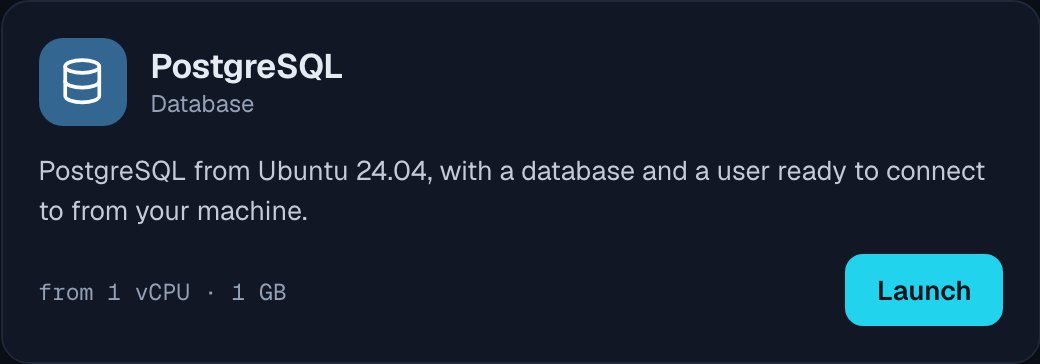
The PostgreSQL recipe: PostgreSQL from Ubuntu 24.04 with a database and a user ready to connect to, from 1 vCPU and 1 GB, with a Launch button

A database is one click.

PostgreSQL, MySQL, S3 storage, Prometheus with Grafana: each is a recipe that builds its VMs, installs the software and hands you the address and the login.

No containers to manage. The services are ordinary VMs you can open, snapshot and give more disk.
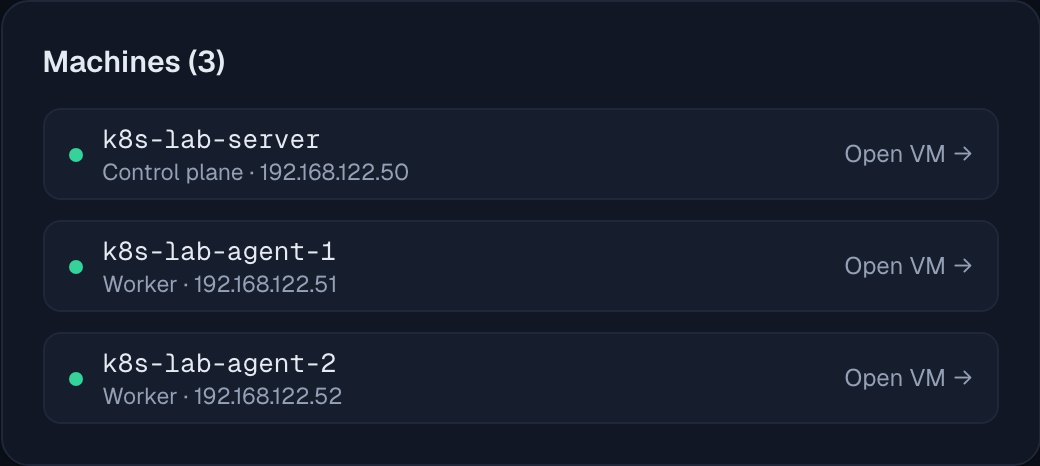
A Kubernetes cluster's three machines: a control plane and two workers, each ready, with its address

A Kubernetes cluster is three VMs.

A k3s control plane and two workers, each on its own VM. Download the kubeconfig and use kubectl from your own machine.

Add or remove workers later. Kubernetes owns the containers; Nano Cloud owns the machines.

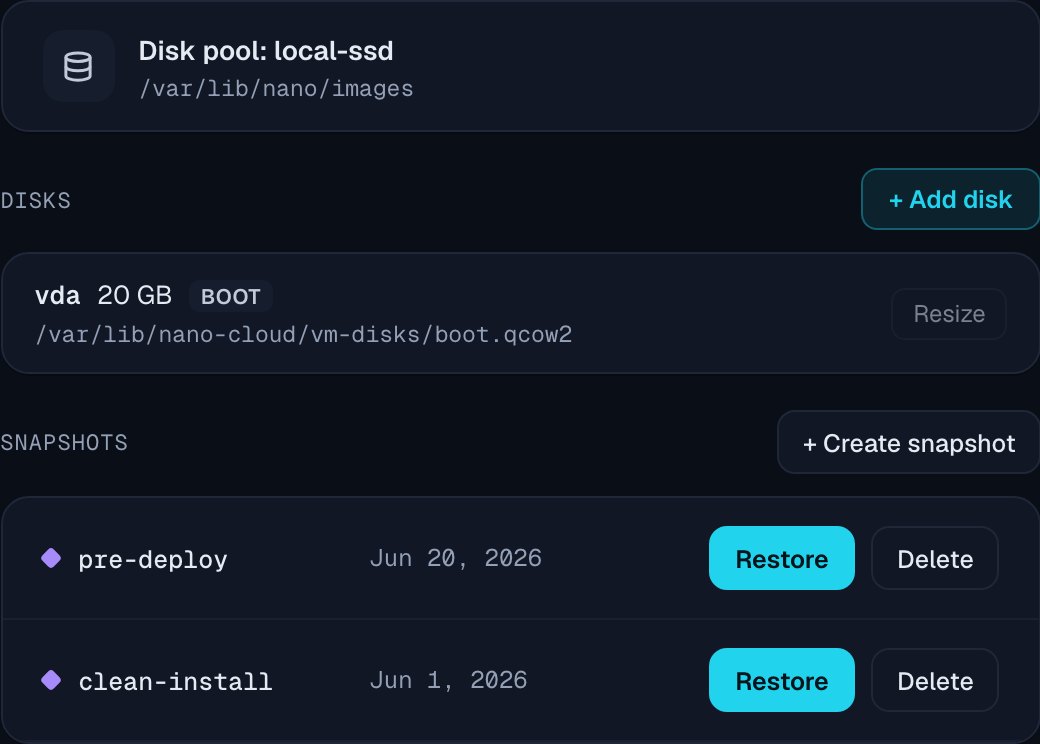
A VM's storage: its 20 GB boot disk, and two snapshots named pre-deploy and clean-install

Snapshots before you change things.

Take a snapshot, restore it, clone the VM, or save it as a template for the next one. Add disks and grow them.

Disks are files in plain directories you choose as storage pools: qcow2 on Linux, raw images on a Mac.

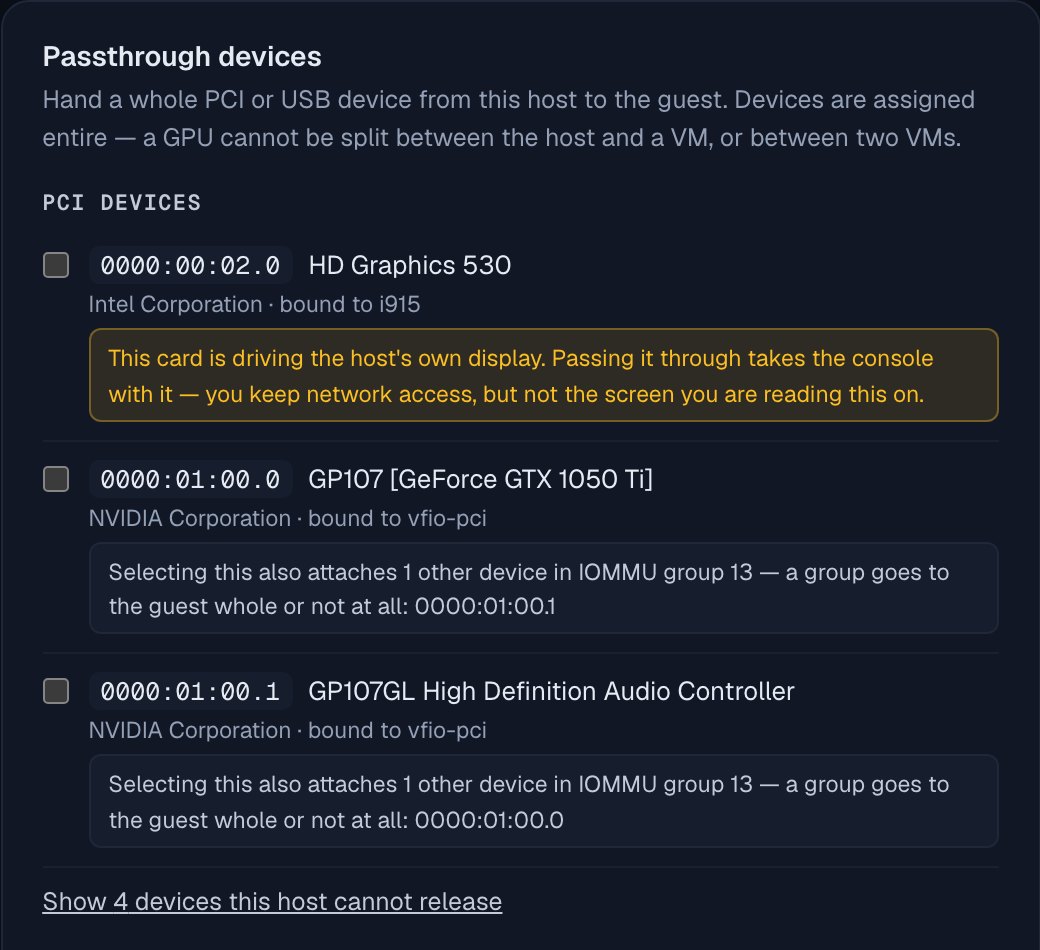
Passthrough devices: the host's PCI devices, with a warning that the integrated graphics card drives the host's own display

Your hardware, attached.

Hand a VM a PCI device or a USB key, pin it to host CPUs, boot it with UEFI, Secure Boot and a TPM, and put it on your own network, or on a VLAN if your switch has them.

On Linux, through libvirt and KVM. A Mac has none of this: Apple's Virtualization framework gives a VM plain virtual CPUs, always UEFI, on a NAT network. Which network to pick

# the API every page of the UI uses
curl -H "Authorization: Bearer $NC_TOKEN" \
  https://dev-box:8080/vms
[{ "name": "web-01",
   "phase": "ready",
   "ip": "192.168.122.14",
   "cpu_count": 2,
   "memory_mb": 4096,
   … }]

Scriptable, too.

Scripts can use the JSON API the web console uses, with tokens you create and revoke in Settings. It is not versioned yet, so a release before 1.0 can change it.

A token reaches everything the web console does, VM consoles included, except changing the password and creating or revoking tokens. Those need a signed-in browser, so a leaked token cannot mint its own replacements.

From nothing to a VM

First, one command on the box.

The installer checks the release's signature, installs libvirt and QEMU from your distribution, starts the service and prints a password.

Then open the address it printed.

HTTPS with a certificate made on your box. Check its fingerprint against the one the installer printed, once, and sign in.

Pick an image, and it boots.

Ubuntu, Debian, Fedora, Alpine and others, each fetched as its newest build. About a minute later the VM has an address and an SSH line to copy.

Limits, on purpose

Leaves out

  • Users, roles and single sign-onone login, API tokens
  • Clustering and live migrationone box is the unit
  • A container runtimecontainers run in VMs
  • A database serverstate is files you can read
  • A hosted versionnone
  • Telemetrynone

Needs

  • Linux with KVM on x86-64Ubuntu, Debian, Fedora
  • Or a Mac with Apple siliconmacOS 13 or later
  • A browser on your networkport 8080

Next to

  • Proxmox VEits own OS, clustering built in
  • Canonical MicroCloudLXD and Ceph, 3 machines for HA
  • Cockpit Machinesstarts VMs at boot, no crash recovery

Install it

One command on the box. The installer checks the release's signature and checksum before anything runs, starts the service, and prints the address and a password.

curl -fsSL https://raw.githubusercontent.com/nanocloud-io/nanocloud/main/install.sh | sudo sh

x86-64 with KVM and systemd: Ubuntu, Debian, Fedora and their relatives. It installs libvirt, QEMU and xorriso from your distribution.

brew install gnupgcurl -fsSL https://raw.githubusercontent.com/nanocloud-io/nanocloud/main/install.sh | sudo sh

Apple silicon, macOS 13 or later. gnupg checks the signature; nothing else is installed. What differs on a Mac

Update

sudo nanocloud update

Checks the signature, swaps the binary and rolls back if the new one does not start. VMs keep running.

Remove

sudo nanocloud uninstall

Your VMs and their disks stay. Add --purge to remove everything.

Diagnose

nanocloud doctor

Says what the host is missing and how to add it.

Or install by hand from the release files: nanocloud-linux-amd64, nanocloud-darwin-arm64, sha256sums.txt and its signature. The install guide has the steps, and every release is on GitHub.